ThePPInsider is an independent mobile app comparison platform. We may earn a commission when you click through.
Photo Restoration Apps That Know When to Stop
Ten restoration apps promise sharper memories, but only a few separate useful repair from AI-generated faces and colour.
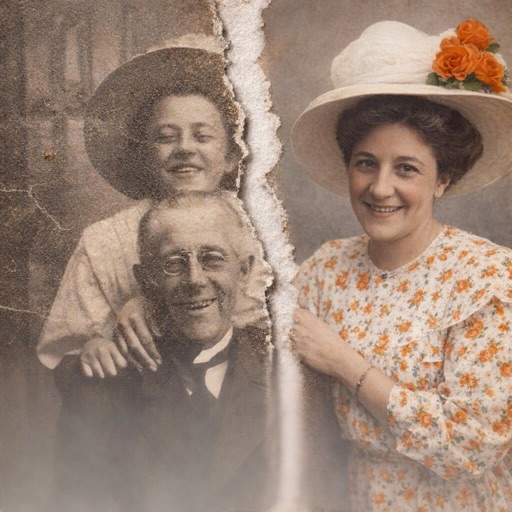
Photo restoration apps are good at one thing and unreliable at another: they can make a damaged image look sharper, but they cannot recover detail that was never captured. The strongest apps improve faces, scratches, blur, and faded contrast. The weakest quietly invent eyes, hair, and skin texture.
That distinction matters more than a glossy before-and-after preview. This guide focuses on what each app actually claims to do, which devices support it, and where the available rating data is too thin to justify confidence.
What to look for before uploading a family photo
- Restoration controls: unblur, scratch repair, colourisation, and upscaling are separate jobs.
- Platform coverage: several picks are iPhone-only, while others are Android-only.
- Evidence: a 4.7 rating from 12 ratings says far less than a 4.5 rating from 1,000 ratings.
- Privacy: cloud-based AI may require uploading personal photographs. Check the app’s privacy information before processing sensitive images.
The most common mistake is treating “enhance” as “restore.” Enhancement can sharpen edges and increase contrast; restoration attempts to reconstruct missing information. The result may look convincing while being historically wrong.
Fastest route to a sharper portrait
Portraits are the easiest test because AI enhancement models are usually trained to recognise faces. That is also where errors become most obvious. Compare the eyes, teeth, hairline, and jewellery before saving anything.
Remini
Remini has the strongest evidence in this group: the Finnish App Store listing shows a 4.5 rating from 1,000 ratings, and the app explicitly targets enhancement, unblurring, and restoration. I would start here for a badly blurred portrait, but I would inspect the face at full size before trusting the result. The free download includes in-app purchases, and the listing does not disclose a price, so the useful free allowance is unclear.

Remini
The Android version of Remini makes the same core promise and says more than 100 million photos have been revitalised. That scale suggests a mature service, but it is not proof that every restoration is accurate. Compared with the iPhone listing, the Android description adds explicit language about pixelated and damaged pictures, making it the more obvious Android starting point for a single difficult portrait.

Remini remains the safest recommendation for a heavily blurred face because it has the largest visible rating sample here. FixMyPhotos is more versatile on Android, while PhotoBoost is harder to judge because its review base is tiny. The next group is more interesting for family archives, where colourisation and memory-making matter as much as sharpness.
Old family photos, colourisation, and repair
A faded portrait needs different treatment from a modern blurry selfie. Look for scratch reduction, colourisation, and restrained contrast. AI colour is interpretive, not recovered fact; clothing and backgrounds may be plausible rather than accurate.
RetroFix
RetroFix is the clearest specialist in this section: it focuses on restoring old photos and converting black-and-white images to colour. The Finnish App Store listing shows 4.7 from 12 ratings, which is encouraging but too small to outweigh hands-on testing. Its iPad support is useful for reviewing larger scans, though the listing does not confirm iPhone availability or disclose in-app purchase prices.

This group reveals the main split in restoration apps. RetroFix and jpgHD speak directly to old-photo repair; Pastory adds emotional effects; PhotoApp is a general iPhone enhancer. None should replace a high-resolution scan, and none can tell you the original colour of a garment with certainty.
Specialist tools and the limits of AI
EnhanceFox is the outlier worth testing when video matters, while the broader lesson applies to every app above: save the original, compare before and after, and keep the untouched scan beside the edited version.
EnhanceFox AI
EnhanceFox combines photo enhancement with video enhancement and unblurring. The iPhone listing shows a 4.6 rating from only 5 ratings, so there is almost no dependable public evidence behind that score. I would consider it for someone restoring short clips as well as stills, but for a treasured photograph alone, the broader Remini or jpgHD descriptions provide a clearer reason to choose them.

Quick decision framework
- Choose Remini for a blurry portrait and the strongest visible rating sample.
- Choose FixMyPhotos on Android if you need unblur, colourisation, and background removal in one workflow.
- Choose RetroFix for black-and-white family photographs, especially on iPad.
- Choose jpgHD for mixed archives containing scratches, faded images, artwork, and landscapes.
- Choose PhotoApp for routine iPhone enhancement, not specialist historical repair.
- Choose Pastory when animation and storytelling matter more than strict documentary accuracy.
My pick is Remini for a single damaged portrait and jpgHD for a varied family archive. The honest warning is simple: AI can produce a more attractive image without producing a more truthful one. Keep the original scan, compare facial details, and treat colourised output as an interpretation.
Before you start restoring, check what can still be recovered from deleted or damaged files in Photo Recovery Apps: What They Can Actually Restore.