ThePPInsider is an independent mobile app comparison platform. We may earn a commission when you click through.
Photo Restoration Apps Ranked: Which Ones Really Repair Damage
Ten restoration apps compared by platform, ratings and repair tools, with clear picks for scanned prints, colourising and file recovery.
Quick Picks
Best overall: Restore Old Photos: ReliveAI.
Best budget: PhotoFix: Restore Old Photos.
Best for iPhone ratings: AI old photo repair - Renew.
Photo restoration is not the same as photo recovery. Several apps in this ranking repair faded or damaged images; others mainly search for deleted files or manage storage. That distinction matters more than the word “AI” in the title.

Actual Restoration Tools
The strongest entries here describe specific repair actions: removing scratches, restoring faces, adding colour and recovering detail. Those claims are more useful than vague promises to “enhance” an image, although the supplied listings do not provide before-and-after samples, processing times or subscription prices. Treat the rankings as a feature-led comparison, not proof that every damaged scan will look natural.
ReliveAI
ReliveAI has the clearest restoration brief in the group: it specifically names scratch removal and also includes animation tools. That makes it the most versatile first install for family albums and vintage portraits, provided you want more than a simple sharpening filter. The weakness is the incomplete listing, which gives no price, platform detail beyond the Android store link, or evidence of output quality. Compared with PhotoFix, it appears broader; compared with recovery apps below, it is aimed at repairing an image rather than finding a deleted one. Best for Android users restoring scanned family photos who also want an animation feature.

PhotoFix
PhotoFix is more tightly focused than ReliveAI. Its listing promises one-tap repair for faces, faded colour and detail, then lets you target scratches, creases and stains without changing the rest of the photo. That local repair claim is the most practical detail in the ranking: it suggests better control when a portrait has one damaged corner but an otherwise usable background. The app is listed on Google Play, but no rating, subscription price or export limits are supplied. Choose it over ReliveAI if controlled restoration matters more than animation, especially for scanned prints that are already in colour.

AI Photo Restore
jpgHD is the least transparent restoration pick here because the supplied page content provides a title, imagery and a link to bigjpg.com but almost no usable feature detail. That does not make it useless; it makes it difficult to recommend ahead of apps that explicitly name scratches, stains or colourisation. Its likely appeal is straightforward enhancement, but the available data does not confirm whether it repairs physical damage, restores faces or supports batch work. Best for Android users who want to test a general AI enhancement workflow, not for anyone preserving an irreplaceable print without first checking the export result.

PhotoApp AI Photo Enhancer
PhotoApp has the strongest visible iPhone evidence among the general enhancers: 4.5 stars from 7.3K ratings on the Australian App Store, with tools labelled Enhance, Unblur and Fix Image. That review volume makes the rating more meaningful than the 5.0 score attached to an app with only one rating. Still, the listing does not specifically promise scratch or crease removal, so it reads as an image enhancer rather than a dedicated archival repair tool. Best for iPhone owners who need to sharpen a soft portrait or reduce blur and prefer a widely reviewed app to a brand-new specialist.

Restore Old Photos
Restore Old Photos: AI has a clean proposition and a low evidence base. It is free with in-app purchases, available only for iPhone, and carries a 5.0 rating from one App Store rating in Australia. That score is encouraging but not dependable; a single reviewer cannot tell you how the app handles a full album, faces or difficult scratches. The narrow title suggests a dedicated restoration workflow, yet the listing does not confirm colourisation, local repair or export quality. Best for iPhone users willing to test a new app on duplicate scans before trusting it with originals.
Renew
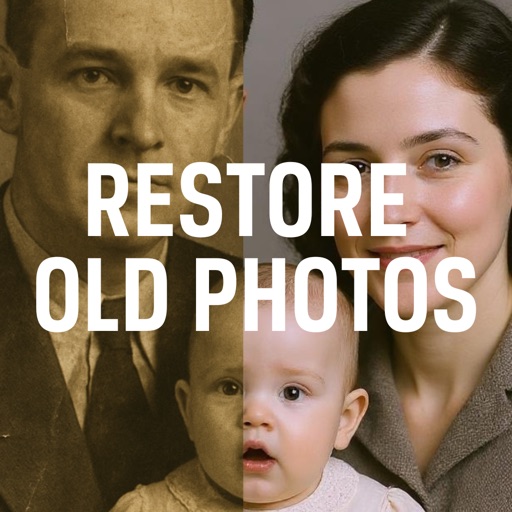
Renew has the most credible iPhone rating in this ranking: 4.8 stars from 477 ratings, alongside explicit restore and colourise wording. That combination gives it a stronger starting case than the one-rating app above, although the listing does not reveal how much of the workflow is free or what the in-app purchases cost. It is designed for iPad rather than verified for macOS, so screen size may suit album projects better than quick phone edits. Best for Apple users restoring black-and-white or faded pictures who want colourisation and have enough ratings to reduce the gamble.

Photo Restore
Photo Restore: Enhance Pic sounds relevant but the available evidence is weak: it has only two App Store ratings and an average of 3.0 stars. The listing names old and damaged photo repair, which is more on-topic than a generic enhancer, but the low rating gives you a reason to test cautiously. There is no supplied detail about scratch removal, colourisation, privacy, export resolution or purchase terms. Best for iPhone users who want to try a narrowly named repair app at no upfront installation cost, but not for a paid restoration project until its results prove themselves.

Pixelup - AI Photo Enhancer
Pixelup is a broad iPhone enhancer with 4.4 stars from 2.2K ratings and a feature line covering unblur, retouching, clarity and fixing. It has more review depth than most specialist-looking entries here, but its wording points toward general image improvement rather than precise restoration of scratches, creases and stains. That makes it a sensible companion for soft digital copies, not my first choice for heavily damaged prints. Best for iPhone users who want restoration alongside retouching and clarity tools, and who value a substantial rating history more than a narrowly archival feature set.

The first cluster contains the apps that actually describe image repair, but the evidence is uneven. ReliveAI and PhotoFix make the strongest feature claims; Renew has the best iPhone rating signal; Pixelup and PhotoApp have larger review pools but broader enhancement briefs. The remaining two entries are useful only if your problem is a missing file rather than a damaged picture.
Recovery and File Management Are Different Jobs
A deleted JPEG is not restored in the same way as a scratched scan. These Android apps focus on scanning storage and attempting file recovery, so they belong in the ranking only as clearly labelled alternatives. Installing one will not magically reconstruct missing detail in a surviving photograph.
Photo Restore
Photo Restore - Video & File is a recovery utility, not a restoration editor. Its listing says it scans for accidentally deleted photos and videos, including JPEG and PNG files, with a one-click search. That makes it relevant after accidental deletion but irrelevant to scratches, fading or missing facial detail. The app may help you locate a surviving file before you reach for ReliveAI or PhotoFix, yet the supplied information does not state recovery success rates, scan depth or privacy handling. Best for Android users trying to retrieve deleted JPEG or PNG files, not for repairing an image that still opens.

Photo Restore Scan
Photo Restore Scan moves even further toward device management. It combines a home-screen launcher with file tools that scan accessible shared storage for photos, videos, audio and documents. That could help someone organise or locate media, but the title is misleading for a reader expecting AI repair, colourisation or scratch removal. It also asks to become the default home app, a much broader device role than a normal restoration editor. Best for Android users who specifically need storage browsing and launcher functions; skip it for damaged-photo repair.

Comparison Table
| App | Platform | Primary job | Rating data | Best for |
|---|---|---|---|---|
| Restore Old Photos: ReliveAI | Android | Scratch removal, animation | Not supplied | Broad restoration tools |
| Photo Restore Scan | Android | Launcher and file browsing | Not supplied | Storage management |
| PhotoFix: Restore Old Photos | Android | Faces, colour, scratches, stains | Not supplied | Targeted repair |
| jpgHD: AI Photo Restore | Android | General enhancement | Not supplied | Testing AI enhancement |
| PhotoApp - AI Photo Enhancer | iPhone | Enhance, unblur, fix | 4.5 from 7.3K ratings | Widely reviewed enhancement |
| Photo Restore - Video & File | Android | Deleted-file recovery | Not supplied | Recovering JPEG and PNG files |
| Restore Old Photos: AI | iPhone | Photo restoration | 5.0 from 1 rating | Testing a new iPhone app |
| AI old photo repair - Renew | iPad | Restore and colourise | 4.8 from 477 ratings | Colourising old pictures |
| Photo Restore: Enhance Pic | iPhone | Damaged-photo repair | 3.0 from 2 ratings | Low-commitment testing |
| Pixelup - AI Photo Enhancer | iPhone | Unblur, retouch, clarify | 4.4 from 2.2K ratings | General enhancement |
Platform and rating details come from the supplied Google Play and Australian App Store listings, including the PhotoApp App Store page, the Renew App Store page and the PhotoFix Google Play listing. Prices, app sizes, permissions and subscription terms were not included in the supplied data, so they should be checked on the store page before installation.

Pick PhotoFix if you use Android and need targeted repairs to faces, scratches, creases and stains. Choose Renew on Apple devices if colourisation and a meaningful rating sample matter most; use ReliveAI when animation and broader restoration tools are part of the brief. For deleted files, switch categories entirely and try Photo Restore - Video & File before editing anything.
If you want the difference between enhancement claims and genuine damage repair spelled out in more detail, read Photo Restoration Apps Compared: Which Ones Actually Repair Damage.